Skip to content
Designing a hoodie online might seem intimidating at first—especially if you’re new to graphic design or unsure which platform to use. Without the right tools or guidance, your designs might come out blurry, misaligned, or simply disappointing.
Yes, you can easily design a hoodie online using platforms like Printful, Printify, Zazzle, or even free tools like Canva. These tools let you select hoodie styles, colors, and materials, upload graphics or create new designs, preview in 3D, and place orders—all without professional design experience.
I’ve personally designed many hoodies online and helped others do the same. Here’s everything you need to know for hassle-free, online hoodie designing.
Yes! Here’s How You Can Design a Hoodie Online Easily
Designing hoodies online is now easier than ever, even if you’re not a professional designer. User-friendly tools and clear instructions make this process accessible to everyone.
Online hoodie design tools allow you to choose a hoodie style, customize color and material, upload your graphics or use built-in templates, adjust placement, preview designs instantly, and order directly. All you need are design ideas, some inspiration, and basic digital images.
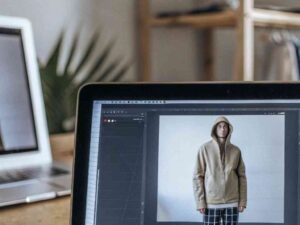 Fashion Photo Editing
How Online Hoodie Design Tools Work
- Choose hoodie style, colors, and materials.
- Upload graphics (logos, text, images).
- Position and preview in real-time.
- Place orders directly through the tool.
What You Need to Prepare (Design Files, Ideas, Inspiration)
- Digital files: high-resolution images (300 DPI preferred).
- Clear ideas or sketches of your design.
- Inspirational references to guide your creativity.
What Are the Best Platforms for Designing Custom Hoodies Online?
Several platforms make hoodie designing straightforward and enjoyable, each with specific strengths to match your unique needs.
Top platforms for online hoodie design include Printful (simple, free mockups), Printify (multi-supplier choices), Zazzle (beginner-friendly editor), Redbubble (artist-focused customization), and Canva combined with print platforms (for creative flexibility).
Printful Mockup Generator (Free, No MOQ, Easy Integration)1
Ideal for beginners and small businesses, Printful offers free, realistic mockups, easy integration with e-commerce, and no minimum order quantities.
Printify Customizer (Multi-Supplier, Large Variety)
Printify connects you to multiple suppliers, providing diverse hoodie styles, prices, and quality levels. Great for comparing options before committing.
Zazzle Custom Clothing Editor (User-Friendly for Beginners)
Zazzle’s intuitive drag-and-drop editor makes customizing hoodies effortless, ideal for personal projects or first-time designers.
Redbubble Upload & Customize (Great for Artists and Sellers)
Perfect for artists and independent sellers. Simply upload artwork, Redbubble handles printing, fulfillment, and shipping, while you earn royalties.

Canva + Print Platforms (Design on Canva, Print via Partners)
Use Canva’s versatile design tools to create graphics, then export designs to print-on-demand services for seamless hoodie production.
Step-by-Step: How Do You Design Your Hoodie Online?
Designing a hoodie online follows clear, straightforward steps. Knowing exactly what to do at each stage ensures your final product matches your vision.
To design your hoodie online: select hoodie style and color, choose sizes and material, upload or create graphics, adjust positioning, preview carefully, then finalize and order directly from the design tool.
Here’s a detailed breakdown:
Step 1: Choose Your Hoodie Style (Pullover, Zip-Up, Lightweight, Heavyweight)
Decide the style first. Consider who will wear it, seasonal use, and the hoodie’s intended purpose.
Step 2: Select Colors, Sizes, and Material
Pick colors complementing your design. Choose materials that suit your print method, comfort needs, and budget constraints.
Step 3: Upload or Create Graphics (Logos, Art, Text)
Upload high-quality designs, use built-in templates, or create custom text. Ensure your images meet resolution standards (300 DPI or higher).
Step 4: Position, Scale, and Preview the Design
Position and resize graphics using the online preview tool. Preview in real-time, ideally on realistic 3D hoodie mockups.
Step 5: Place Your Order and Track Production
Finalize your design, review carefully, and place your order. Track your production and shipping timelines directly through the platform.
What Are Essential Tips for Creating a Great Hoodie Design?
A well-designed hoodie catches attention, looks professional, and feels comfortable. Avoid common mistakes by keeping these key tips in mind.
Always use high-resolution images (300 DPI recommended)2, ensure text is readable and clear, respect print areas and margins, and preview your design on 3D mockups if available. These tips guarantee your design translates effectively to the final hoodie.
Use High-Resolution Images (300 DPI Recommended)
Low-resolution images cause blurry, pixelated prints. Always select or create high-quality images to ensure crisp, clear results.
Keep Text Clear and Readable
Ensure font sizes and colors contrast sufficiently against hoodie colors. Simple fonts work best to maintain readability from a distance.
Pay Attention to Print Areas and Margins
Observe the print boundaries provided by platforms. Avoid placing critical design elements too close to edges or seams.
Preview on 3D Models If Available
Realistic 3D previews show exactly how designs appear on the finished hoodie, helping you spot potential alignment or size issues beforehand.
What Should You Consider Before Ordering Your Custom Hoodie?
Understanding production details prevents unexpected outcomes or disappointments when your hoodie arrives.
Consider fabric choices impacting print quality, printing techniques (DTG, sublimation, embroidery), estimated production and shipping timelines, and clearly review return policies and design ownership before ordering.
Fabric Types and How They Affect Print Quality
- Polyester: Ideal for sublimation; vivid colors.
- Cotton: Best for DTG printing; softer feel.
- Blends: Balance durability, comfort, and print quality.
Understanding Printing Techniques (DTG, Sublimation, Embroidery)
- DTG: Vibrant, detailed prints on cotton.
- Sublimation: Durable, bright colors on polyester.
- Embroidery: Premium, durable finish, suitable for logos or simpler designs.
Estimated Production and Shipping Times
Plan ahead, considering production timelines (often 2-10 business days) and shipping duration. Check platform-specific details before finalizing orders.
Return Policies and Design Ownership Rights
Review return policies carefully. Understand who owns your design rights post-production—crucial if selling designs commercially.
Bonus Section: What Are the Best Free Tools for DIY Hoodie Design?
If you’re designing graphics yourself, these free tools significantly simplify the creative process, even without prior experience.
Canva (Free Design Tool for Beginners)3
Canva is ideal for beginners, offering thousands of free templates, easy editing features, and export options for print.
Photopea (Online Photoshop Alternative)
Photopea provides advanced editing features comparable to Photoshop—perfect for detailed image manipulation and custom graphics without cost.
Adobe Express (Quick Mockups)
Adobe Express creates quick and professional hoodie mockups, allowing easy visualization of your design ideas before finalizing for print.
Conclusion
Designing your own hoodie online in 2025 is easier and more accessible than ever. With user-friendly platforms and helpful tips, anyone can create attractive, professional-quality hoodies without hassle. Now, it’s your turn to bring your creative hoodie ideas to life!
-
Learning about Printful’s mockup generator can streamline your design process and improve your online store’s visuals. ↩
-
Understanding the importance of high-resolution images can significantly enhance your design quality and print results. ↩
-
Exploring Canva’s features can help you leverage its tools for creating stunning hoodie designs effortlessly. ↩